Allen Bradley PanelView HMIs on eBay: Screen Sizes, Firmware, and What to Test
uBuyFirst
Last year I pulled a dead PanelView Plus 7 out of a packaging line at 2 AM. The touchscreen had gone completely unresponsive mid-shift, and the maintenance crew had no spare. The replacement from the local Rockwell distributor was going to take three weeks and cost north of $4,000. I found the same catalog number on eBay, tested and verified, from a US-based surplus dealer for $1,100. It shipped next-day air and the line was back up by Thursday. That experience converted me from someone who viewed eBay with suspicion for industrial components to someone who keeps a saved search running for every PanelView model in my installed base. But buying Allen Bradley HMIs on eBay is not like buying consumer electronics. You need to match screen cutouts down to the millimeter, verify firmware compatibility with your PLC rack, and know how to spot the units that will fail within a month of installation. This guide covers all of it.
The PanelView Family: What Is Current vs. Discontinued
Before you search eBay, you need to understand which PanelView products are still in production and which are legacy. Rockwell Automation has made this unnecessarily confusing by reusing the "PanelView" name across multiple generations with different software ecosystems, and sellers on eBay are not always careful about distinguishing them.
The PanelView Plus 7 is the current workhorse and the unit you will see most often on eBay. It comes in two tiers. The Standard (catalog numbers ending in 8S, like 2711P-T7C22D8S) runs Windows CE and is limited to one controller connection with a maximum of 25 to 100 screens depending on firmware version. It covers sizes from 4.3 inches to 15 inches. The Performance (catalog numbers ending in 9P, like 2711P-T10C22D9P) supports multiple controller connections, larger applications, and runs Windows CE on Series A hardware or Windows 10 IoT on Series B. Performance terminals span 6.5 to 19 inches. Both tiers use FactoryTalk View Machine Edition for application development and run .MER runtime files. The PanelView Plus 7 is by far the best option for eBay purchases because the ecosystem is mature, parts are plentiful, and firmware support is active.
The PanelView Plus 6 was discontinued at the end of 2022. You will still find these on eBay, often at attractive prices, but they are end-of-life. Rockwell publishes a migration guide (publication 2711P-AP004) mapping every Plus 6 catalog number to its Plus 7 equivalent. If you are buying a Plus 6 on eBay, you should only be doing it as a drop-in spare for an existing Plus 6 installation, not for a new project. The Plus 6 Compact was the entry-level model with limited resolution and memory, replaced by the Plus 7 Standard.
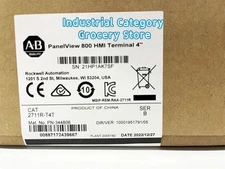
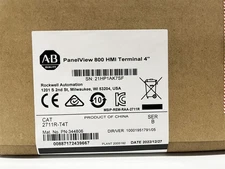
The PanelView 800 occupies a different niche entirely. It uses Connected Components Workbench (CCW) for programming, not FactoryTalk View ME. The 800 series targets smaller machines running Micro800, MicroLogix, SLC 500, or CompactLogix controllers. It comes in 4-inch and 7-inch sizes and can connect to up to four controllers simultaneously. You cannot load a .MER file onto a PanelView 800, and you cannot use a PanelView 800 as a drop-in replacement for a Plus 7. These are different products with different software stacks, despite both carrying the PanelView name.
The PanelView 5000 (catalog prefix 2715P) is the newest generation, designed for tight integration with Studio 5000. It uses View Designer instead of FactoryTalk View ME, requires ControlLogix or CompactLogix controllers with firmware v27 or later, and supports up to 500 screens and 4,000 alarms. Sizes range from 6.5 to 22 inches, including capacitive touch options. The 5000 is a completely different software ecosystem from the Plus 7 and is not interchangeable at the application level. On eBay, PanelView 5000 units are rarer and command premium prices because they are newer and still in high demand for new installations.
Finally, the original PanelView Standard (catalog prefix 2711 without the P) is long discontinued. These used PanelBuilder32 software and .PBA application files. If you need to replace one, there is no direct drop-in from the current lineup. Migration to a PanelView Plus 7 requires converting the application from PanelBuilder32 to FactoryTalk View ME, which is rarely a trivial exercise. For the full picture on navigating the Allen Bradley product line on eBay, start with the complete Allen Bradley buying guide.
Decoding PanelView Catalog Numbers
Every PanelView Plus 7 catalog number tells you exactly what you are getting. Learning to read them saves time when scanning eBay listings and prevents expensive mistakes. Here is how the number breaks down, using the Performance model 2711P-T10C22D9P as an example.
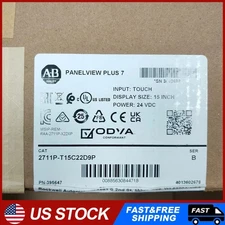
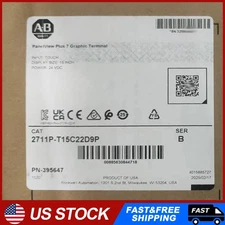
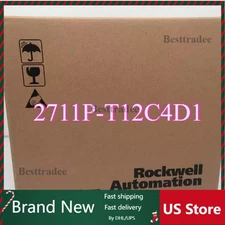
The prefix 2711P identifies it as a PanelView Plus (the P distinguishes it from the discontinued PanelView Standard). The next character indicates operator input: T means touch only, B means touch with keypad. The number after that is the screen size: 4 is 4.3 inches, 6 is 5.7 inches, 7 is 6.5 inches, 9 is 9 inches, 10 is 10.4 inches, 12 is 12.1 inches, 15 is 15 inches, and 19 is 19 inches. The letter following the size describes the display type: C is standard color (4:3 aspect ratio) and W is widescreen color. The next two digits indicate Ethernet configuration: 21 means a single Ethernet port, 22 means dual Ethernet ports with DLR (Device Level Ring) support. After that, the power supply type: D for 24V DC and A for AC (note that all Performance AC terminals were discontinued in November 2021, so any AC Performance units on eBay are legacy stock). The single digit near the end indicates the tier: 8 is Standard, 9 is Performance. The final letter confirms the tier: S for Standard, P for Performance.
Suffixes matter too. A -B at the end means the unit ships without Allen-Bradley branding, intended for OEMs who apply their own labels. A K suffix indicates conformal coating for corrosive environments. BSHK denotes a stainless steel hygienic bezel, brandless, with conformal coating. These suffixes do not affect functionality but they affect price on eBay. Brandless units (-B) sometimes sell for less because buyers do not recognize them as genuine Allen-Bradley products, even though they are identical hardware.
When searching eBay, use the full catalog number for exact matches. A search for 2711P-T10C22D9P returns exactly the 10.4-inch Performance touch terminal with dual Ethernet and DC power. If you are flexible on options, search by partial number. Searching for 2711P-T7C22D will catch both Standard and Performance 6.5-inch touch units with dual Ethernet and DC power.
Screen Size and Cutout Matching for Replacements
When you are replacing a failed PanelView, the panel cutout is non-negotiable. Your enclosure has a rectangular hole cut to specific dimensions, and the replacement unit must fit that hole exactly. This is the most critical spec for eBay purchases because a PanelView that does not fit your cutout is useless regardless of how good the price was.
The PanelView Plus 7 Performance and PanelView 5500 share identical cutout dimensions, which is useful if you are considering a migration path. Here are the cutout sizes for touch-only models, pulled directly from Rockwell publication VIEW-DS001: the 6.5-inch requires a 184 x 142 mm (7.24 x 5.59 inch) cutout. The 9-inch widescreen needs 252 x 162 mm (9.92 x 6.38 inches). The 10.4-inch needs 269 x 224 mm (10.59 x 8.82 inches). The 12.1-inch widescreen needs 312 x 218 mm (12.28 x 8.58 inches). The 15-inch needs 353 x 290 mm (13.90 x 11.42 inches). The 19-inch needs 457 x 383 mm (17.99 x 15.08 inches).
Touch-with-keypad models have larger cutouts because the keypad extends the bezel. A 6.5-inch keypad and touch unit requires 237 x 142 mm (9.33 x 5.59 inches), considerably wider than the 184 mm touch-only cutout. A 10.4-inch keypad and touch unit needs 335 x 290 mm (13.19 x 11.42 inches). If you are replacing a touch-only model, you cannot swap in a keypad-and-touch model without cutting a larger hole in your panel.
When migrating from a PanelView Plus 6 to a Plus 7, the cutouts do not always match. Rockwell's migration guide (2711P-AP004) lists the specific dimensional differences and available adapter plates. Some sizes are close enough that the Plus 7 drops into the Plus 6 cutout with mounting lever adjustments. Others require an adapter plate (sold separately) or a new cutout. Always verify before ordering a Plus 7 as a replacement for a Plus 6 from eBay.
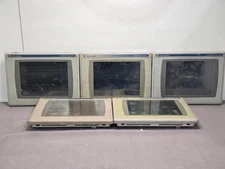
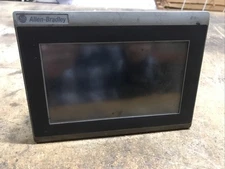
One practical tip: if the eBay listing does not specify whether the unit is touch-only (T prefix) or keypad-and-touch (B prefix), look at the photos carefully. The keypad models have a distinct physical keypad section adjacent to the screen. If you only see a flat touchscreen, it is a T model. This distinction matters for cutout compatibility and for your application, since keypad models require different screen layouts that accommodate the physical button interface.
allen bradley panelview plus 7 on eBay
See all →
Operating System, Firmware, and Application Compatibility
PanelView Plus 7 firmware compatibility is the area where eBay purchases get tricky. The terminal firmware version, the FactoryTalk View ME Studio version on your development PC, and the runtime application (.MER file) version all need to align. Getting this wrong does not break anything, but it can leave you unable to download your application to the terminal over Ethernet.
PanelView Plus 7 Standard terminals run Windows CE 6.0 across all series. Performance terminals run Windows CE on Series A hardware and Windows 10 IoT on Series B and later. From an application standpoint, this difference is mostly transparent. Your .MER file runs the same on either operating system. The practical difference is that Series B Performance units with Windows 10 IoT offer better security features and faster boot times.
The firmware version on the terminal must be compatible with the FactoryTalk View Studio version you use to create the .MER application. This is a forward-compatibility requirement: you can run an older .MER file on a newer firmware terminal, but you cannot always download an application from a newer FTView Studio directly to a terminal running older firmware via Ethernet or USB. The workaround is simple and reliable. Create the .MER file on your PC, copy it to a USB drive or SD card, and load it through the terminal's Load/Store Application menu. This method bypasses the direct download compatibility check and works across firmware versions as long as the runtime engine supports the .MER format, which it does back to FactoryTalk View ME version 5.1.
Firmware can be upgraded. If you buy a PanelView Plus 7 Performance on eBay running firmware v10 and your application requires v13, you can flash it forward using the ME Firmware Upgrade Wizard. You do not need to stair-step through every intermediate version; a direct jump from v10 to v15 works. The wizard creates a bootable USB drive that handles the upgrade process. One important caveat: PanelView Plus 7 Standard Series D terminals are only compatible with firmware v13.x and later. If you buy a Series D Standard unit on eBay, make sure your FTView ME Studio is version 13 or later.
There is a known firmware issue to watch for on Performance terminals. Firmware v10 and v10.001 have documented problems with NAND flash file system stability (Rockwell Release Notes PN-114897). Terminals running these versions can develop Error #2 ("Terminal Software Stopped Responding"), caused by corrupted .MER files or file system degradation. If you buy a Performance unit on eBay and it is running v10 or v10.001, update the firmware to v10.002 or later immediately before deploying it. This is a five-minute fix that prevents a costly field failure.
Common Failures and What to Test Before Buying Used
Every Allen Bradley HMI you buy on eBay has a failure history you do not know and a remaining service life you cannot guarantee. But you can dramatically reduce your risk by understanding what fails on these units and what to test when the box arrives.
Touchscreen degradation is the most common failure on PanelView Plus 7 terminals. The screens use analog resistive touch technology, rated for one million presses. That sounds like a lot until you consider a high-traffic HMI screen where operators are pressing buttons hundreds of times per shift. After years of use, resistive touchscreens develop dead spots where the resistive layers have worn through, stuck areas where the layers remain in contact without operator input, and calibration drift where touch registration shifts away from the actual contact point. When your eBay purchase arrives, the first test is a full-screen touch calibration followed by systematic testing of every area of the screen. Run your finger slowly across the entire surface while watching the cursor. Any area where the cursor jumps, sticks, or fails to track means the touchscreen is degrading. On PanelView Plus 7 units, recalibration can extend usable life for screens with mild drift. Dead spots and stuck areas require touchscreen replacement, which is a repair service typically costing $300 to $600 from third-party shops like Monitech or Classic Automation.
Backlight failure is the second most common issue. PanelView Plus 7 terminals use LED backlights rated for 50,000 hours at 40 degrees Celsius to half-brightness. On a terminal running 24/7 in a warm enclosure, that is roughly five to six years before the display dims noticeably. The backlight on PanelView Plus 7 units is not field-replaceable; a dim or dead backlight typically means the display module needs replacement. When testing a used unit, power it up and check for uniform brightness across the entire screen. Dark corners, visible dim bands, or a display that is noticeably darker than a new unit indicate a backlight approaching end of life. If the terminal is used exclusively for a low-ambient-light environment like an enclosed control room, reduced backlight may be acceptable. On a factory floor with overhead lighting, it will be a problem.
NAND flash and storage corruption causes sudden, catastrophic failures rather than gradual degradation. Symptoms include the terminal failing to boot, displaying Error #2, or losing the loaded .MER application after a power cycle. On older PanelView Plus (non-Plus 7) units, CompactFlash card corruption was a common failure mode. The Plus 7 uses internal NAND flash storage and an SD card slot. If the previous owner experienced frequent power interruptions without a clean shutdown, the internal storage may have accumulated file system damage. Ask the eBay seller: does the terminal boot to the configuration screen cleanly? Can it load and run a test application? If the seller says "powers on but not tested further," treat it as a higher-risk purchase and price your bid accordingly.
The real-time clock battery is the easiest and cheapest item to address. PanelView Plus 7 terminals use a CR2032 lithium coin cell (Rockwell part 2711P-RY2032) with a minimum four-year life at 25 degrees Celsius. A dead battery does not prevent the terminal from operating, but it means the clock resets on every power cycle, which can affect timestamped alarms and data logging. A replacement CR2032 costs a few dollars. When buying used, plan on replacing the battery as a matter of course.
EEPROM corruption is a known issue on older PanelView Plus units (not Plus 7 specifically, but occasionally seen on early production). This manifests as a completely unresponsive touchscreen with an apparently normal display on 700 and 1000 models, or a garbled display with unresponsive touch on 1250 and 1500 models. Rockwell published a fix utility that runs from a CF card to reprogram the EEPROM. If you buy a legacy PanelView Plus unit on eBay and the touch does not work despite a normal display, this may be the cause before assuming the touchscreen is physically dead.
allen bradley touch screen panel on eBay
See all →

Transferring Your Application to a Used PanelView
This is the question I get asked most: "Can I just load my application onto a used PanelView from eBay?" The short answer is yes, with some nuance around firmware versions and one important detail about licensing.
The .MER file (Machine Edition Runtime) is the compiled application that runs on the PanelView. It contains all your screens, alarm configurations, controller tag references, and communication settings. This file is not locked to a specific terminal. You can take the .MER from your failed PanelView, copy it to a USB drive, and load it onto any compatible PanelView Plus 7 of the same or newer firmware version. The terminal does not check for a hardware-specific license when loading a .MER file. The FactoryTalk View ME runtime is embedded in the terminal firmware and is licensed with the hardware, so there is no per-terminal activation step for running an application.
Transfer methods, in order of reliability. USB drive: copy the .MER file to the root of a USB flash drive, insert it into the terminal's USB host port, navigate to Terminal Settings then Load/Store Application, and load from USB. This is the most reliable method and works across firmware version mismatches. SD card: same process using the SD card slot (Rockwell part 1784-SD1 for 1GB or 1784-SD2 for 2GB). Ethernet download: from FactoryTalk View Studio ME, use the Application Manager to download directly to the terminal over the network. This is the fastest method for iterative development but requires firmware compatibility between your Studio version and the terminal. If the versions are mismatched, use USB or SD card instead.
The licensing nuance is on the development side. FactoryTalk View Studio ME, the software you use to create and edit .MER applications on your PC, requires its own license. This license is tied to your development workstation, not to the terminal. If you are buying a replacement PanelView on eBay, you do not need a new FTView Studio license. You just need the .MER file from your existing terminal. If you do not have the .MER file, you can upload it from the working terminal using the ME Transfer Utility before it fails completely, or if the terminal is already dead, you may be able to recover it from the SD card or USB backup if one was created.
One critical workflow note: the .MER file is a compiled runtime. You cannot edit it directly. If you need to modify the application, you need the source project file (.MED or .APA). FactoryTalk View Studio can restore a .MER back to an editable project (File, Restore), but if the original developer protected the .MER, this restore will not work. Before your current PanelView dies, make sure you have both the .MER file and the source project backed up. A used terminal from eBay can replace your hardware, but it cannot replace your application source files.
Used vs. New PanelView Pricing on eBay
The price spread between used and new PanelView Plus 7 units on eBay is where the buying case gets compelling. New PanelView Plus 7 units from authorized distributors carry list prices that have climbed steadily since the supply chain disruptions of 2021-2022. A PanelView Plus 7 Standard 5.7-inch (2711P-T6C21D8S) lists at approximately $2,680 from distributors. A Performance 10.4-inch (2711P-T10C22D9P) can exceed $4,000. Larger sizes push well past $5,000 to $7,000.
On eBay, the same units sell for dramatically less. Used, tested PanelView Plus 7 Standard 6.5-inch units (2711P-T7C21D8S) sell in the $550 to $750 range. New surplus units of the same model, often pulled from canceled projects or decommissioned-before-installation machines, sell for $850 to $913. That is a 60 to 80 percent discount from distributor pricing. Performance 6.5-inch units (2711P-T7C22D9P) trade between $850 and $1,600 on eBay, depending on condition and series revision. Used Performance 10-inch and larger units are less common but when they appear, they typically sell for 40 to 60 percent below list.
Legacy PanelView Plus 700 units (2711P-T7C4D9 and similar catalog numbers from the pre-Plus 7 generation) sell for $570 to $725 used and tested. New-sealed legacy stock can command $1,400 or more, which is not great value since these are discontinued and cannot run the latest firmware. Buy legacy units only as direct replacements for existing installations where you cannot migrate to Plus 7.
The counterfeit risk directly affects pricing. Listings from sellers in China or Southeast Asia often show "New Factory Sealed" PanelView Plus 7 units at prices 20 to 40 percent below the used-surplus pricing from US-based dealers. These prices should raise an immediate red flag. Genuine Rockwell Automation manufacturing for PanelView terminals is based in the United States. A "new" unit from a seller in Shenzhen at a price below what US surplus dealers charge for used units is almost certainly counterfeit or at minimum a gray-market unit with no warranty backing. This is where uBuyFirst's seller country filter becomes essential. eBay shows item location, which sellers can set to anything. uBuyFirst shows the seller's actual registered country, giving you a reliable signal about who you are actually buying from. For more on identifying fakes, see the counterfeit detection guide.
When does buying refurbished make sense? For critical production equipment where downtime costs thousands per hour, a refurbished PanelView from a reputable US-based surplus dealer with a one to two year warranty is the sweet spot. You get 50 to 70 percent savings over new, a warranty that covers you during the early-failure period, and the ability to return the unit if it does not work. The premium over untested used units is typically $100 to $300 and is almost always worth it. For more on evaluating surplus versus refurbished condition, see the surplus vs. refurbished guide.
What Pairs With Your PanelView: Controller Compatibility
A PanelView is only as useful as its connection to the controller rack. Before buying on eBay, confirm the terminal you are considering is compatible with your installed PLC platform.
PanelView Plus 7 (both Standard and Performance) connects to ControlLogix 5570/5580 and CompactLogix 5370/5380/5480 controllers over EtherNet/IP. The Performance tier also supports third-party controllers via communication protocol drivers. The Standard tier is limited to a single controller connection, which is sufficient for standalone machines but inadequate for systems with multiple PLCs. If your application needs multi-controller connectivity, make sure you are buying a Performance unit, not Standard.
PanelView 800 connects to a broader range of lower-tier controllers: Micro800 family, MicroLogix, SLC 500, and CompactLogix. If you are running a Micro820 or Micro850 on a smaller machine, the PanelView 800 is likely the right choice, and these units are available on eBay at significant discounts.
PanelView 5000 requires ControlLogix or CompactLogix controllers running firmware v27 or later. This is a hard requirement. If your controller rack is on firmware v26 or earlier, a PanelView 5000 from eBay will not work until you upgrade the controller firmware, which may have its own compatibility cascade. For details on finding the right PLC on eBay, see the Allen Bradley PLC buying guide.
allen bradley hmi screen on eBay
See all →
Setting Up Alerts for PanelView Deals on eBay
The best deals on used PanelView HMIs do not last long. When a plant decomissions a line and the maintenance team lists the pulled panels, they typically sell within days if priced fairly. The integrators and resellers who consistently get the best prices are the ones running saved searches with alerts.
Start with your exact catalog numbers. If your installed base includes 2711P-T12W22D9P terminals, set an alert for that exact string. Then set broader alerts for partial matches. A search for 2711P-T12W catches all 12-inch widescreen variants regardless of Ethernet configuration, power type, or tier. This broader search picks up units you might not have considered but that are physically and functionally compatible with your installation.
For building a spare parts inventory, search by size rather than exact catalog number. Alerts for panelview plus 7 10 inch or 2711P-T9W22D9P cast a wider net that captures both Standard and Performance models across all series revisions. When a unit appears at the right price, you can quickly cross-reference the catalog number against your requirements using the decoding system above.
Price your alerts against the market. For a PanelView Plus 7 Standard 6.5-inch, anything under $600 for a tested unit from a US seller is a strong buy. For a Performance 10-inch, under $1,500 is solid. If you see a "New Factory Sealed" unit at or below used-market pricing, verify the seller's country and feedback history carefully before committing. Set up your searches on uBuyFirst to get instant notifications when new listings match, and use the seller country filter to focus on domestic sellers with verifiable industrial automation track records.